CI/CD brings automation into the DevOps life cycle. With less manual work, DevOps teams work more efficiently and with greater speed. An automated workflow also reduces the chance of human error and improves handoffs, which improves overall operational efficiency. Organizations that implement CI/CD make better use of their resources and will have a competitive edge over those that don't use CI/CD.
Simple deployment
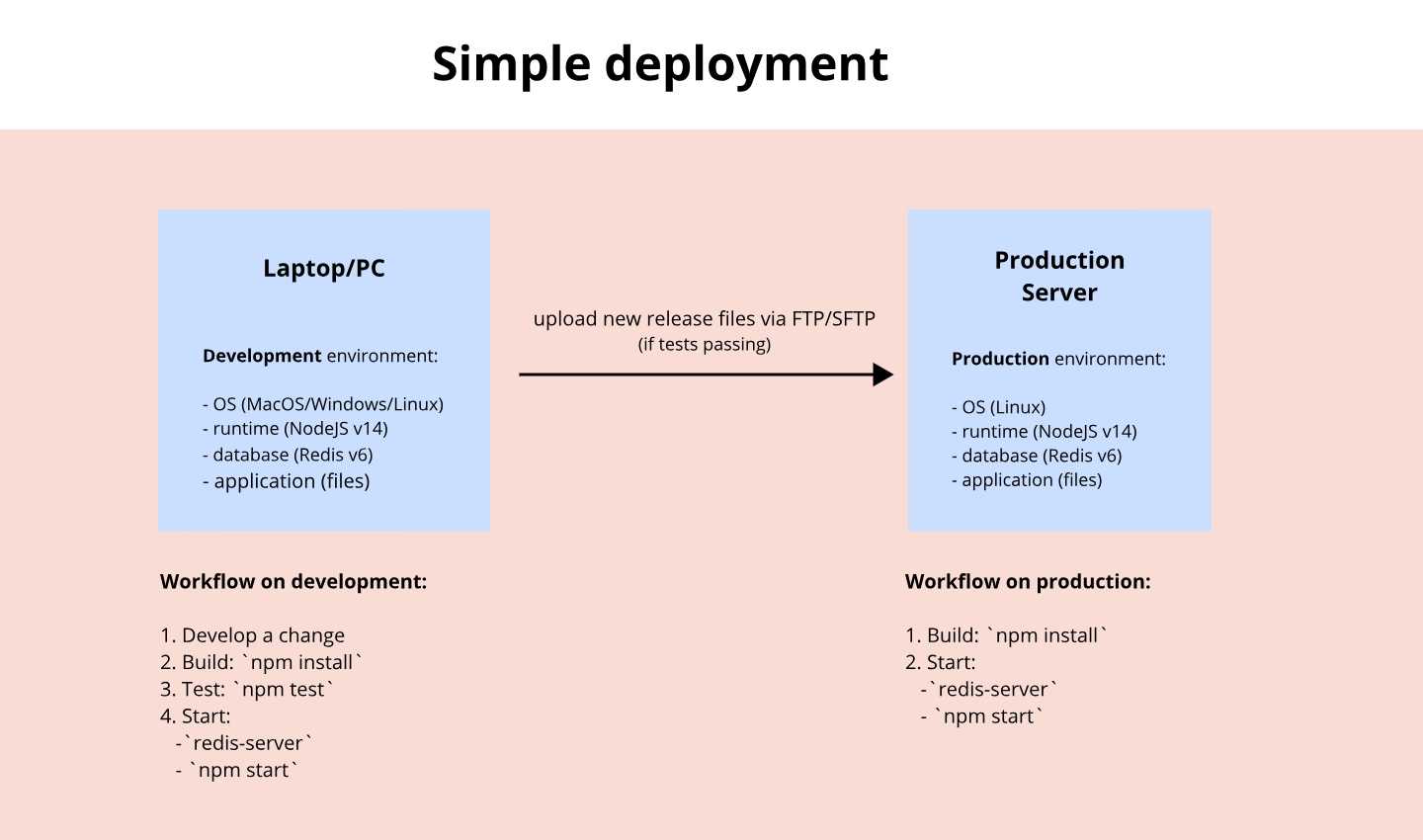
What is it?
Continuous Integration (CI) - a practice in which members of a team integrate their work frequently.
Continuous Delivery (CD) - a discipline where software is built in a manner that allows deploying to customers at any time.
Continuous Deployment (CD) - this extends Continuous Delivery by automating the deployment process so that code is automatically deployed to production after it passes automated testing.
Benefits
- More time for innovation
- Better retention rates
- More revenue
- Business efficiency
CI/CD Fundamentals
- A single source repository
Source code management (SCM) that houses all necessary files and scripts to create builds. - Automated builds
Scripts should include everything you need to build from a single command. - Builds should be self-testing
Testing scripts should ensure that the failure of a test should result in a failed build. - Frequent iterations
Multiple commits to the repository mean there are fewer places for conflicts to hide. - Stable testing environments
Code should be tested in a cloned version of the production environment. - Maximum visibility
Every developer should be able to access the latest executables and see any changes made to the repository. - Automated deployments
Code should be able to deploy into multiple environments easily.
What is the CI/CD Pipeline?
CI/CD pipeline - an automated sequence of events that is initiated after you update the code.
Takes care of the work (that you would otherwise need to perform manually):
- previewing an in-development site
- testing a new code
- deploying it to a production server
CI/CD pipeline
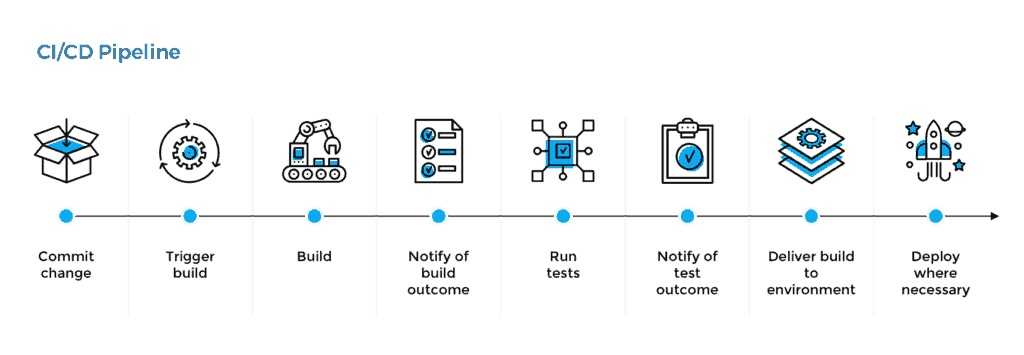
CI/CD pipeline
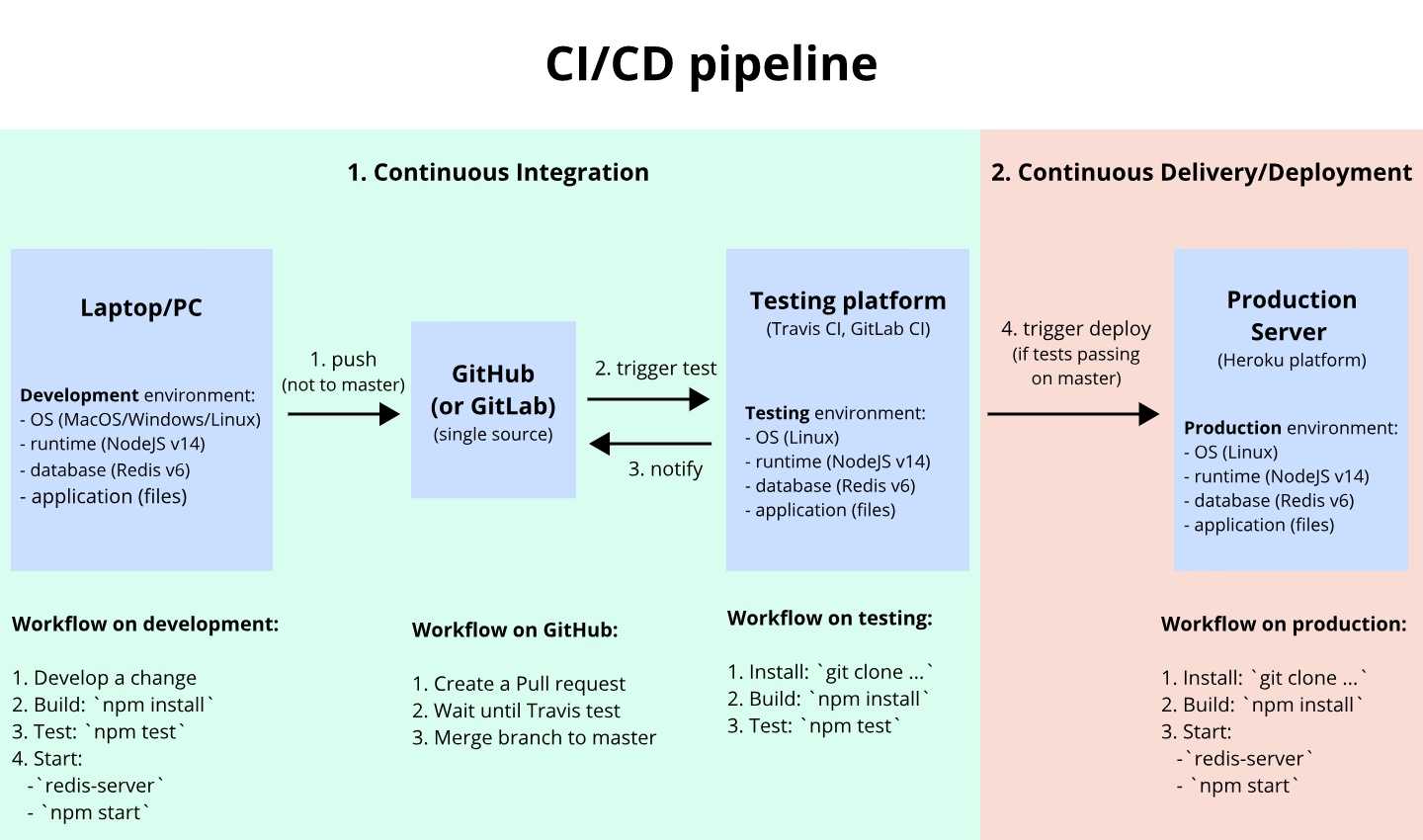
CI/CD tools
- Travis CI
- GitLab CI
- Jenkins
- ...
Delivery to Registries
We can deliver new releases of the software to registries.
Registry - is a software package hosting service, that allows you to host your packages and code in one place.
Registry types:
- public
- private
Example public package registries
Examples of installing packages from a registry for using them in a project:
# For NodeJS
npm install <PACKAGE_NAME>

# For Java
mvn install <PACKAGE_NAME>

# For Python
pip install <PACKAGE_NAME>
pip3 install <PACKAGE_NAME>